
Running a chiropractic practice entails far more than just treating patients. In addition, chiropractors have to look after SOAP notes, scheduling, patient intake, insurance claims, payments, billing, and follow-ups usually involving multiple systems.
This is the reason why chiropractic practice software that combines all its functions with built-in billing has become an important element of practice management. Rather than transferring patient information between separate EHR, billing, and payment systems, an integrated system can link these various workflows together at a single platform. All-in-one software reduces administrative tasks, improves billing efficiency, and gives practices better insight into your financial situation.
Not all chiropractic software provides the same range of features, automation, and billing capabilities.
Let’s take a look at the top 10 all-in-one chiropractic software platforms that come with integrated billing and explore their main features and pros and cons in order to choose the one that is suitable for your practice.
1. zHealth – The best all-in-one chiropractic software with integrated billing
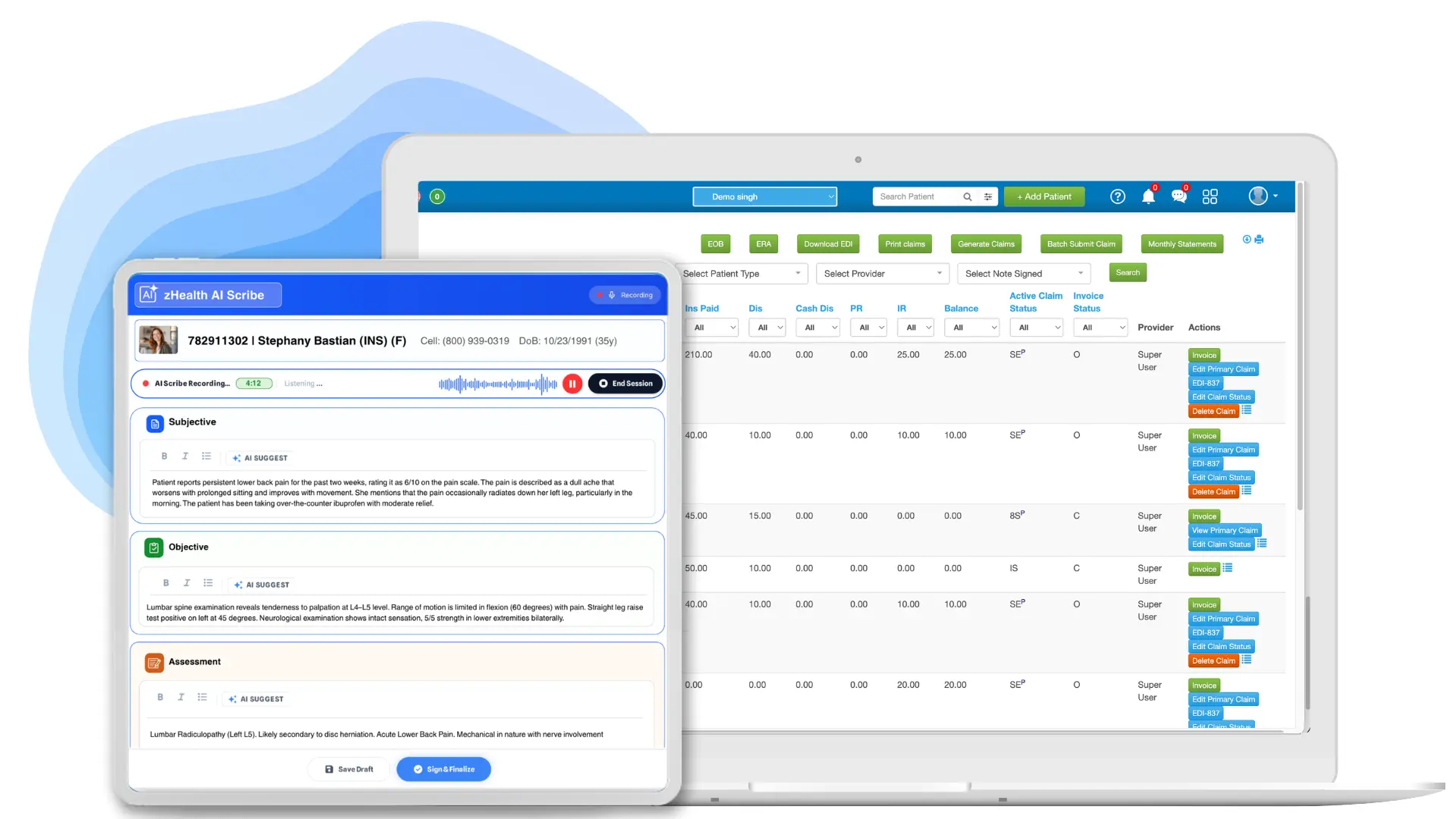
zHealth is a cloud-based chiropractic practice software with billing platform along with all features that clinics need including SOAP documentation, scheduling, billing, payments, patient engagement, marketing, and growth and AI tools.
Best Billing Features
- Integrated EHR and billing: Patient and clinical data flows directly into billing, reducing duplicate data entry and errors.
- Electronic claims: Submit insurance claims electronically through integrated clearinghouses.
- Claim scrubbing: Catch potential billing issues before claims are submitted to reduce avoidable rejections.
- Automated ERA posting: Automatically apply insurance payments, adjustments, and patient responsibility to the correct claims.
- Claims management: Track rejected, denied, and incorrect claims and manage follow-ups from one dashboard.
- Flexible payments: Collect payments at checkout, through online bill pay, or with cards on file, with transactions recorded automatically.
- AR management: Track outstanding balances, aging claims, and unpaid patient or insurance amounts to improve collections.
- Real-time eligibility: Verify insurance eligibility and benefits before or during patient visits.
- Billing analytics: Monitor claims, payments, revenue, and AR through detailed reports and dashboards.
In addition to billing, zHealth provides AI Scribe, customizable SOAP notes, online scheduling, patient recall, two-way texting, memberships, and AI Practice Analytics, which means it is a more comprehensive practice management platform than a standalone billing system.

| Pros | Cons |
| All-in-one chiropractic software for insurance billing | Pricing is per provider |
| Chiropractic-focused insurance billing workflows | Practices looking only for basic scheduling or EHR functionality may not need its billing feature |
| Integrated claims, clearinghouse, ERA, and payment processing | – |
| Managed Billing available for practices that want outsourced billing support | – |
| AI-powered tools for documentation and practice analytics | – |
| Cloud-based and accessible from anywhere | – |
| Patient engagement tools are built into the same platform | – |
Starting Price:
The starting price is $119 per month per provider for the Essentials plan.
2. ChiroTouch
ChiroTouch is an EHR and practice management platform designed for chiropractors, incorporating features such as scheduling, charting, billing, payments, patient management, and AI-driven workflows. It is especially appropriate for practices that wish to use a system with a chiropractic focus and integrated clinical and financial workflows.
Best Billing Features
- Integrated claims: Submit electronic claims and track their status in one place.
- Claim validation: Catch potential billing errors before claims are submitted.
- Automated ERA posting: Automatically post insurance payments to patient accounts.
- Eligibility verification: Check insurance eligibility and benefits in real time.
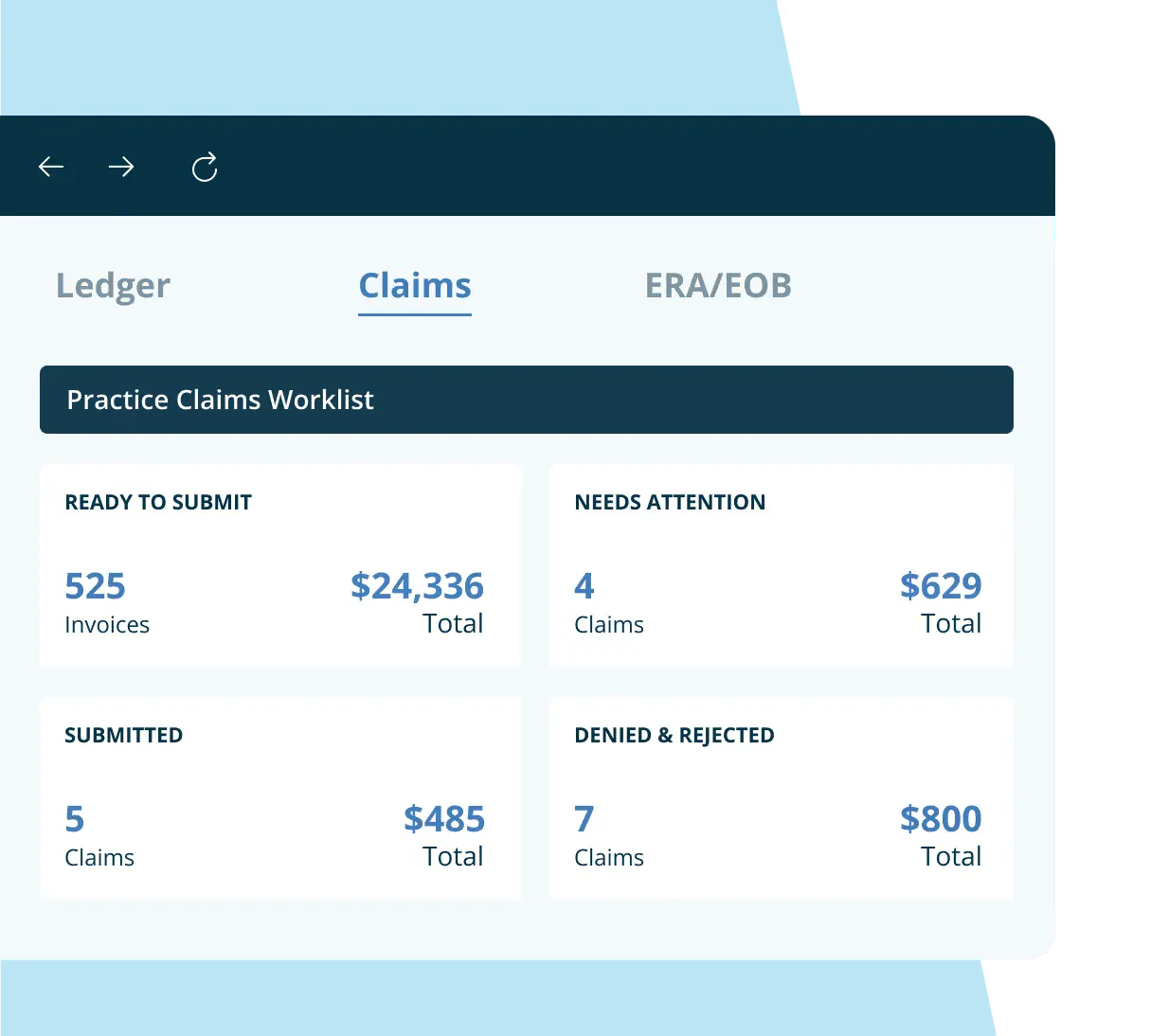
- Claims Worklist: Manage claims, identify issues, and handle follow-ups from one dashboard.
- Integrated payments: Accept payments with CT Pay and automatically record them in patient ledgers.
- AR management: Track outstanding balances and prioritize overdue accounts.
- Billing analytics: Monitor revenue, payments, payer trends, and financial performance.

| Pros | Cons |
| Chiropractic-specific EHR and practice management platform | Both the volume-based and unlimited claims options require the CT Billing Suite. |
| Integrated scheduling, EHR, billing, and payments | Pricing is not publicly displayed; practices need to request a demo |
| Claims management and clearinghouse integrations | Volume-based claims are priced according to the practice’s total monthly claim volume. |
| Automated claims scrubbing and ERA posting | Practices with substantial claim volumes may need the higher-tier billing setup. |
| Supports electronic claims, eligibility verification, claim scrubbing, and ERA auto-posting. | – |
Starting Price
ChiroTouch does not display its prices on the pricing page. The company provides Start, Grow, and Scale plans, and billing and clearinghouse facilities can be obtained via add-ons.
3. ChiroSpring
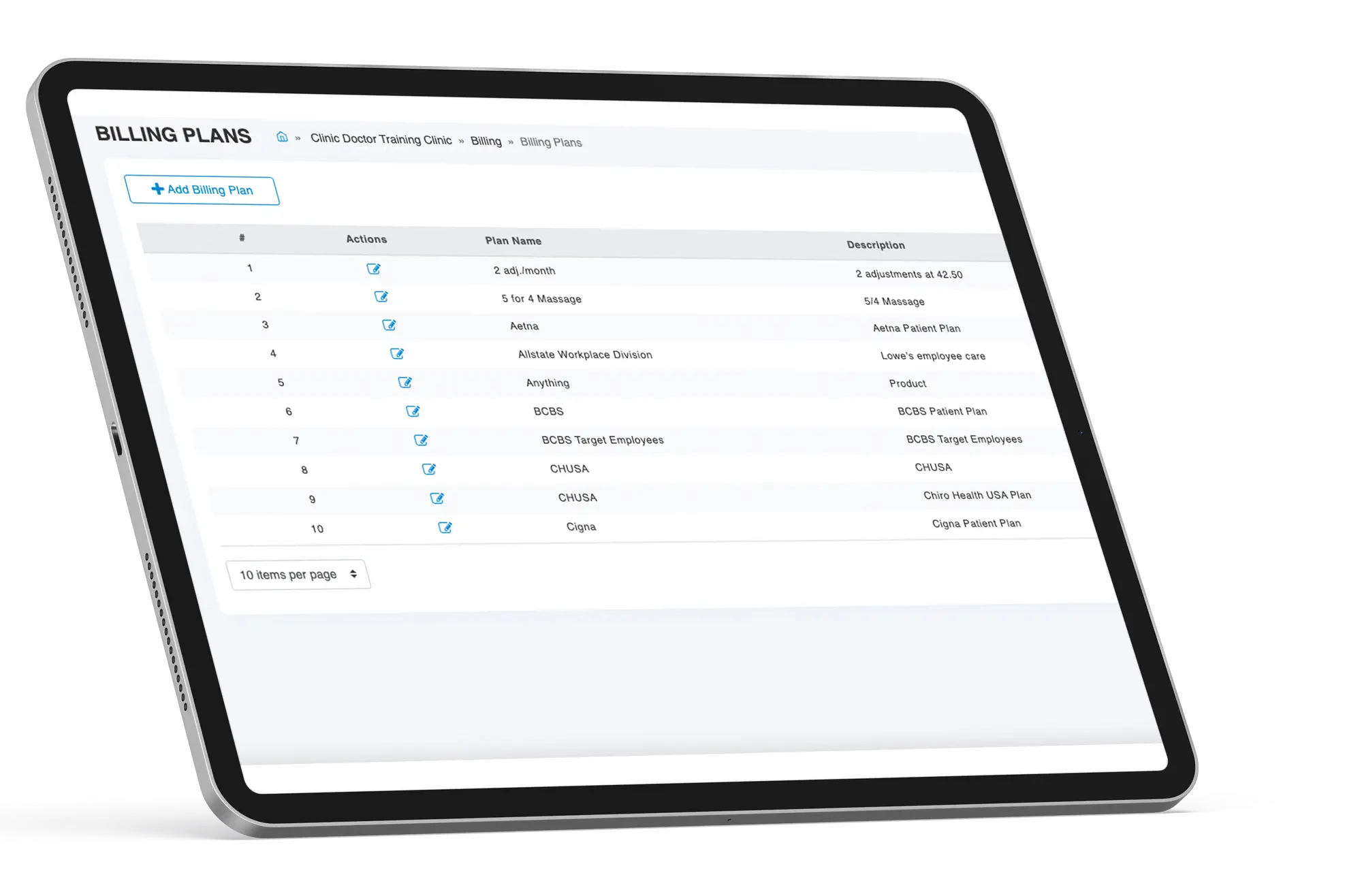
ChiroSpring is an EHR and practice management platform designed for use in chiropractic clinics, integrating SOAP notes, scheduling, billing, claims, payments, and patient management within a single system. The billing procedures are closely linked to clinical documentation, which helps clinics to decrease the number of manual billing steps and to manage claims from their creation right through to payment.
Best Billing Features
- Integrated Clearinghouse: Streamlines claim submission and helps improve first-pass acceptance rates.
- Advanced Claim Scrubbing: Identifies potential claim errors before submission to reduce rejections.
- Automatic Claim Creation: Automatically creates claims from fee slips and ditto to reduce manual billing work.
- Auto-Posting ERAs: Automatically posts electronic remittance advice to save staff time and minimize errors.
- AI-Powered Claim Predictions: Predicts claim approval probability and expected turnaround based on codes, payers, and modifiers.
- Claim Tracking: Provides a complete claim history from creation and submission through adjudication and denial management.
- Insurance AR Tracking: Helps practices monitor outstanding insurance accounts receivable and follow up on unpaid claims.

| Pros | Cons |
| Chiropractic-specific EHR and practice management platform | The clearinghouse is a $149/month add-on rather than being included in the core Pro or Pro+ plan. |
| Automatic claim creation from clinical documentation | Clearinghouse is an additional cost on Pro and Pro+ plans |
| Advanced claim scrubbing and ERA auto-posting | Some advanced AI capabilities require an additional subscription |
| AI-powered claims assistance | Practices pay overage fees for claims, insurance verifications, and text messages |
| – | Pricing can become significantly higher as billing and add-on requirements increase |
Starting Price
The 360 plan from ChiroSpring begins at $149 per month for a single provider; the 360 Pro plan costs $249 per month and includes automatic claim creation and electronic claims, and the 360 Pro+ plan is $299 per month.
4. PayDC
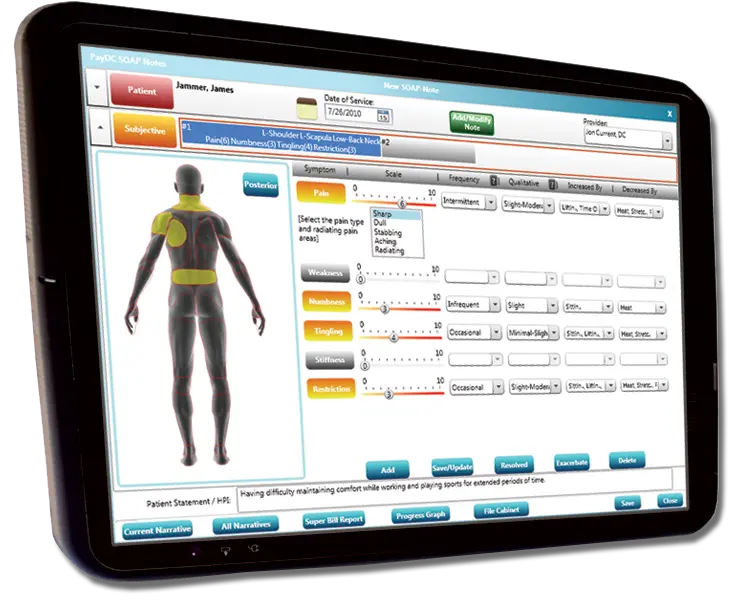
PayDC is an EHR and practice management platform designed specifically for chiropractors, integrating features such as SOAP notes, care plans, scheduling, billing, claims, payment processing, and patient management. The billing workflow is directly linked to clinical documentation so that the information included in the SOAP notes and care plans can be passed on to the billing process without having to manually enter the information.
Best Billing Features
- The generation of claims is done by extracting the relevant codes and charges directly from the completed SOAP notes and care plans.
- The process of scrubbing claims involves checking them for possible errors and carrying out CPT edit checks before they are submitted.
- You can submit claims electronically using the integrated clearinghouse with just one click.
- The system offers visibility regarding patient balances and insurance balances.
- Payment planning assists practices in setting up cash and insurance payment plans and in managing their payment schedules.
- We can accept and process payments through the platform.
- Billing and clinical integration ensures that documentation and billing remain linked, which in turn reduces the need for duplicate data entry and the possibility of errors.

| Pros | Cons |
| Built specifically for chiropractic practices | Less emphasis on AI compared with newer AI-focused platforms |
| SOAP notes, care plans, and billing are tightly integrated | Some users report a learning curve for front-office workflows |
| Automatic claim generation and claim scrubbing | Patient portal and some capabilities may depend on the selected setup |
| Integrated payment processing and payment planning | Pricing information varies across PayDC’s current and third-party listings |
| Cloud-based with automatic updates | May be better suited to insurance-based practices than purely cash-based practices |
| Strong focus on documentation and compliance |
Starting Price
The 360 plan from ChiroSpring begins at $149 per month for a single provider; the 360 Pro plan costs $249 per month and includes automatic claim creation and electronic claims, and the 360 Pro+ plan is $299 per month.
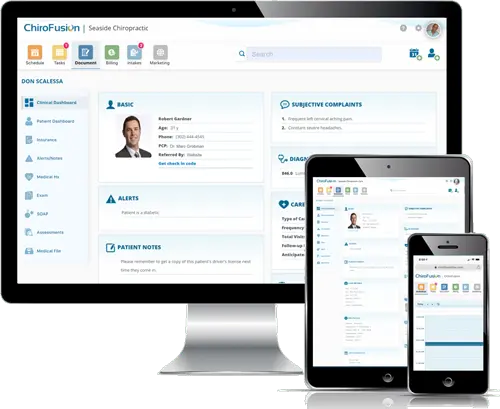
5. ChiroFusion
ChiroFusion is a chiropractic electronic health record and practice management platform that combines various functions including SOAP documentation, scheduling, billing, claims, payments, and reporting.
Best Billing Features
- Integrated Clearinghouse: Submit electronic claims directly from the EHR and track claim status without switching systems.
- ERA Auto-Posting: Automatically posts insurance payments from electronic remittance advice to streamline payment reconciliation.
- Centralized Billing Workflow: Manage claims, billing tasks, and financial information from a centralized workflow with reporting tools.
- Integrated Patient Payments: Accept online patient payments and set up recurring payments for memberships and wellness plans.
- Electronic Patient Statements: Send patient statements electronically and allow patients to pay their outstanding balances online.
- Managed Billing Services: Optional managed billing services handle charge entry, payment posting, insurance follow-up, denial management, appeals, and billing reports.

| Pros | Cons |
| Designed specifically for chiropractors | Some advanced features maybe missing |
| Integrated EHR, billing, claims, and payments | Less extensive AI capabilities than newer AI-focused platforms |
| Automatic claim generation and ERA posting | Limited customization may be a consideration for practices with complex workflows |
| Cloud-based and accessible from internet-connected devices | Additional providers cost $49/month |
| Online patient payments and digital statements | Managed billing services are priced separately |
Starting Price
The Essentials plan begins at $129 per month with a commitment period of 12 months and setup fee of $299.
6. Genesis by ClinicMind
Genesis by ClinicMind provides a single platform that includes electronic health records, practice management, billing, revenue cycle management, payments, and patient engagement. For chiropractic practices it features self-service billing automation as well as full-service billing support, so that it can be used by those who want to handle their billing themselves or by those who would like to outsource their revenue cycle.
Best Billing Features
- Integrated Billing: Connects claims submission, denial management, payment posting, and A/R follow-up within the same workflow as the EHR.
- Integrated Clearinghouse: Submit claims directly from the EHR with real-time eligibility verification, electronic remittance, and denial tracking.
- Automated Payment Posting: Streamlines payment posting through integrated electronic remittance workflows.
- Denial Management: Tracks and manages denied claims as part of the integrated billing workflow.
- A/R Follow-Up: Helps practices monitor outstanding accounts receivable and follow up on unpaid claims.
- Integrated Payments: ClinicMind Pay supports card-on-file, mobile payments, and online patient balance payments without requiring a separate payment system.
- Billing & Financial Reporting: Provides reporting tools to monitor billing activity and practice performance.


| Pros | Cons |
| Combines EHR, billing, RCM, scheduling, and patient engagement | Higher starting price for insurance-billing plans |
| Automated claims submission, scrubbing, and ERA posting | Additional provider logins cost extra |
| Offers both software and full-service billing | Self-service billing includes a per-claim fee |
| Strong focus on reducing denials and improving collections | Full-service billing includes a percentage of claims collected |
| Integrated patient payments | May be more comprehensive than needed for very small cash-based practices |
| – |
Starting Price
Chiropractic clinics can start paying $2 per visit and you need to talk to their sales team to know the actual per month pricing for your practice needs.
7. EZBIS Chiropractic Software
EZBIS is a chiropractic EHR software with a billing module. It offers a modular structure where practices can choose the combination of billing, scheduling, EHR, collections, and other tools that they require. The full EZBIS Office solution combines all of these functions to provide a more complete practice management workflow.
Best Billing Features
- Batch Insurance Billing: Automatically bills insurance for batches of patients with unbilled charges.
- Batch Entry System: Provides a centralized ledger for entering, reviewing, and adjusting daily patient charges and payments before posting them to patient accounts.
- Automated Patient Statements: Generates monthly statements that can be mailed to patients or uploaded to the MyPatientSite.com patient portal.
- Daily Transaction Management: Allows staff to review the day’s charges and payments and make adjustments before finalizing the batch.
- Deposit Slip Generation: Creates a deposit slip when closing out the daily billing batch.
- Billing & Collections Reports: Provides pre-designed reports and graphs to monitor billing and collections performance.
| Pros | Cons |
| Flexible billing and practice management modules | Modular structure can make setup more complex |
| Flexible billing and practice management modules | Many capabilities may require separate modules or add-ons |
| Strong insurance billing and patient accounting tools | Interface may feel less modern than newer cloud-first platforms |
| Supports electronic claims, remittances, and eligibility | Some electronic billing services involve additional fees |
| Integrated payment processing available | Advanced AI capabilities are less prominent than newer competitors |
| – | – |
Starting Price
EZBIS Cloud Software is now priced at $225 per month and comes with features such as EHR, patient accounting, billing, collections, scheduling, and patient self-check-in.
8. ECLIPSE
ECLIPSE is an EHR and practice management platform that focuses on chiropractic care and includes features such as documentation, scheduling, billing, claims handling, payments, reporting, and patient communication. The platform has more than 40 years’ experience in providing software for the chiropractic field and is suitable for practices ranging from individual practitioners to those with multiple locations.
Best Billing Features
- Integrated SOAP & Billing: Connects clinical documentation and billing in one workflow, reducing the need to manage them separately.
- Integrated Billing: Supports billing as part of the broader EHR and practice management system.
- Case Management: Built-in case management helps organize patient information and workflows that support billing operations.
- Multi-Site Billing: Designed to support billing and practice operations for single practitioners as well as large, multi-site practices.
- Cloud-Based Billing: ECLIPSE EHR Cloud provides browser-based access to billing and practice management workflows from different devices and operating systems.
| Pros | Cons |
| Starts at $99/month with billing included | Electronic billing costs extra |
| Integrated billing with SOAP and practice management | Advanced billing features are not clearly specified |
| Cloud-based and accessible across devices | Clearinghouse adds to the overall cost |
| Includes scheduling, reporting, and intake forms | May require additional services for advanced billing needs |
Starting Price
The cost of the ECLIPSE EHR Cloud Core package is $99 per month and it comes with billing, scheduling, practice management, SOAP templates, reporting, and intake forms. Electronic billing via a private clearinghouse is available as an optional extra.
9. JaneApp
JaneApp is a practice management platform, offering features such as scheduling, charting, patient communication, payments, invoicing, and insurance billing. Although the platform is not specific to chiropractic care, it may be a suitable choice for multidisciplinary practices which provide chiropractic services together with other health and wellness services.
Best Billing Features
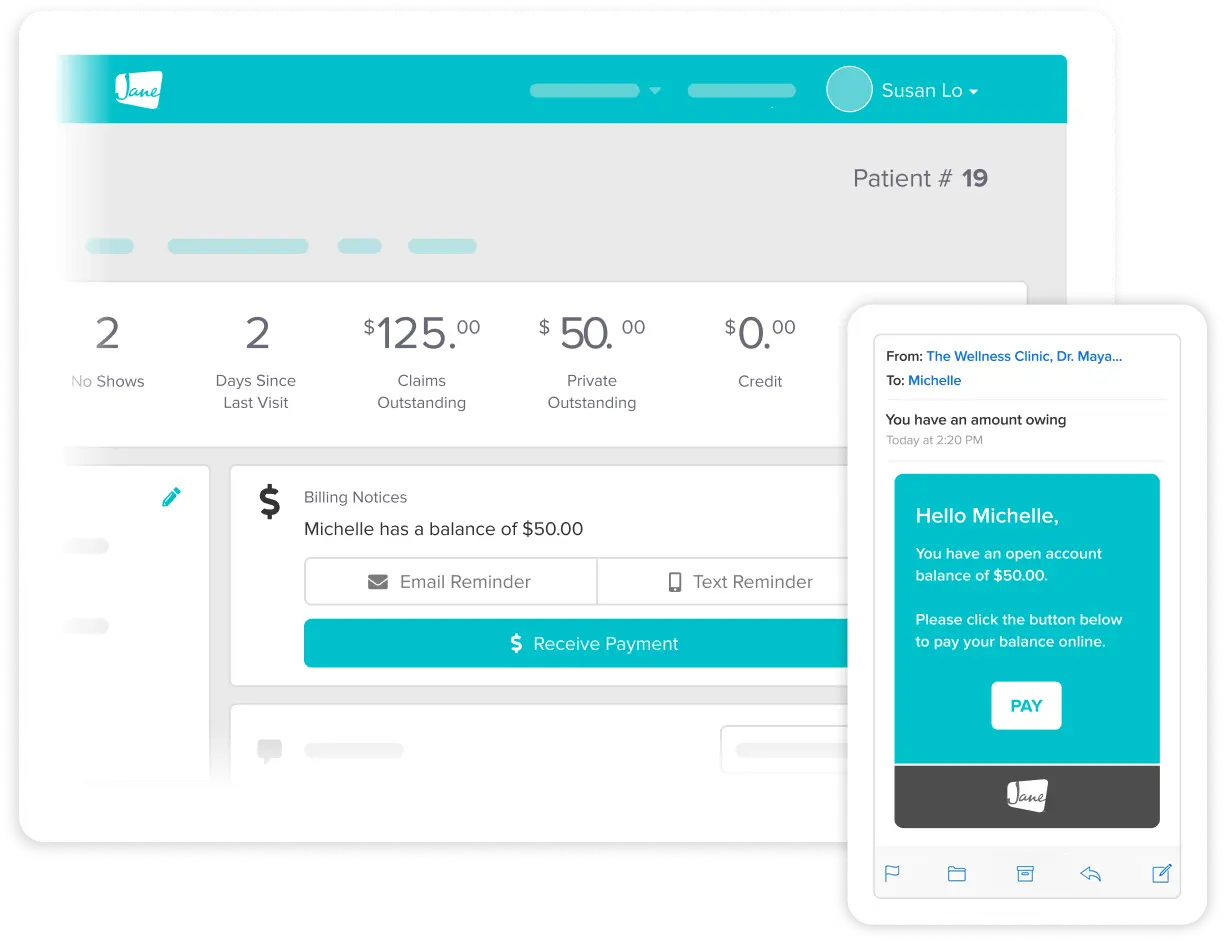
- Direct Insurance Billing: Submit eligible insurance claims electronically directly from appointments.
- Integrated Claim Tracking: Monitor claim status, insurer responses, adjustments, and outcomes within the patient record.
- Automated Reconciliation: Automatically apply insurer payments to invoices and reduce manual payment matching.
- Insurance Eligibility Checks: Verify patient coverage before appointments.
- Insurance Policy Management: Collect and securely store patients’ insurance policy details during online intake.
- Patient Responsibility Calculation: Automatically calculate the amount patients are responsible for after insurance.
- Accounts Receivable Tracking: Monitor outstanding claims and patient balances in one place.
- Billing Preferences: Customize billing codes, fees, and workflows based on the clinic’s needs.

| Pros | Cons |
| Integrated insurance billing and claim tracking | Direct billing is limited to supported insurers |
| Automated payment reconciliation reduces manual work | Advanced denial management is not clearly highlighted |
| Built-in eligibility and policy management | May not suit practices with complex RCM needs |
| Strong patient payment and balance tracking | Some billing capabilities may vary by region |
Starting Price
The Jane Balance plan begins at CAD 54 per month, but it allows only one practitioner and 20 appointments each month. The billing add-on is $20 / month and +$5 / $2.50 per additional full / part-time practitioner.
10. DrChrono
DrChrono is a cloud-based electronic health record and practice management system which integrates clinical documentation, scheduling, patient engagement, billing, claims management, payments, and revenue cycle management. Although the software is not specific to chiropractic care, it may be suitable for practices that wish to use a more general healthcare platform featuring integrated financial processes.
Best Billing Features
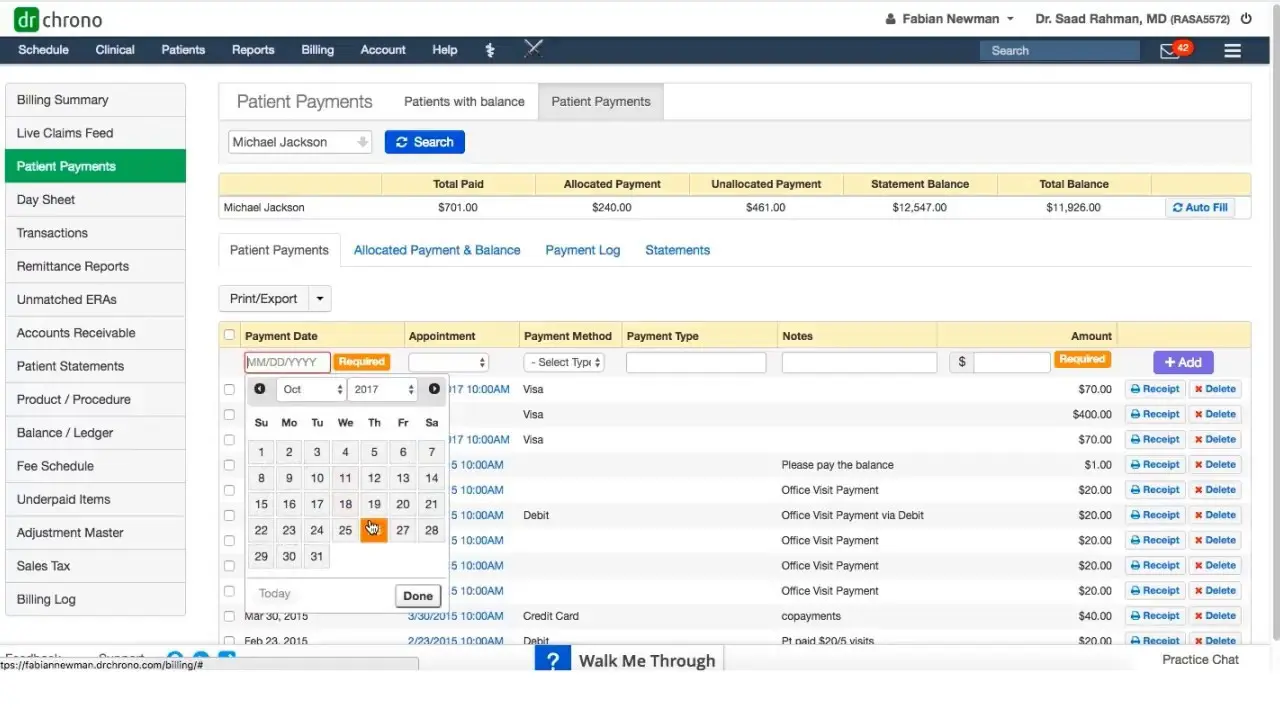
- Electronic Claims Management: Submit, manage, and track insurance claims electronically within the platform.
- Insurance Eligibility Verification: Verify patient insurance coverage as part of the billing workflow.
- ERA Auto-Posting: Receive and manage electronic remittance advice directly in DrChrono.
- Custom Billing Profiles: Create reusable billing profiles with CPT/HCPCS codes, diagnoses, and fee schedules.
- Claim Tracking: Monitor claims throughout the revenue cycle and identify outstanding billing activity.
- Patient Statements: Send statements via text, email, or mail with convenient payment links.
- Integrated Payments: Accept online and in-person payments and securely save payment methods.
- Revenue Cycle Management: Access outsourced RCM services covering claims management, coding support, and denial assistance.

| Pros | Cons |
| Comprehensive claims management and tracking | Not specifically designed for chiropractic practices |
| ERA auto-posting reduces manual billing work | Advanced RCM services may involve additional costs |
| Built-in eligibility verification | Broad healthcare platform may include features chiropractors may not need |
| Integrated online and in-person payments | Pricing can vary based on selected features and services |
| Outsourced RCM and denial support available | May have a learning curve for practices new to the platform |
Starting Price
Instead of giving a standard initial monthly price, DrChrono currently employs quote-based pricing for its Foundation, Growth, and Premium plans.
Conclusion
Selecting the right chiropractic practice software involves more than just finding an EHR that has billing features. An integrated chiropractic billing software should combine SOAP notes, scheduling, patient management, ERA posting, claim submission, payments, and practice analytics so that your team can spend less time dealing with separate systems and more time running the practice.
For any practice seeking a fully integrated chiropractic solution that includes billing, zHealth is distinguished in that it offers all the necessary features, such as clinical documentation, automated billing, payment processing, patient engagement, and AI-powered tools, on a single platform. The AI Scribe helps to make clinical documentation easier, and AI Practice Analytics enables practices to understand their performance, spot revenue opportunities, and decide on the next steps.
The best chiropractic software with billing for you will depend on the scale of your practice, your requirements, budget, and workflow. However, if your aim is to combine efficient clinical workflows with more intelligent billing and revenue management, an integrated platform such as zHealth can offer a solid basis for the long-term growth of your practice. Want to see how zHealth can help get paid more and faster? Schedule a free demo today!
Related Articles:
Monthly Billing Health Checklist for Chiropractic Practices
Ultimate Guide to Chiropractic Medical Billing & Coding 2026
7 Ways Chiropractors Can Improve Billing Collections
The Complete Handbook to Solving Chiropractic Billing Challenges in 2026
Top 10 Free Resources to Streamline Chiropractic Medical Billing in 2026
*Disclaimer: Images of the software providers featured above are sourced from their respective official websites and are used for informational purposes only. No copyright infringement is intended.
Frequently Asked Questions
Q1. What is the best chiropractic software with integrated billing?
A1: The best chiropractic software with integrated billing depends on your practice size, insurance billing needs, budget, and preferred workflow. Look for software that combines EHR, SOAP notes, scheduling, claims management, payment processing, insurance verification, AR management, and reporting in one platform.
Q2. What should I look for in chiropractic software with billing?
A2: Key features to look for include electronic claims submission, claim scrubbing, insurance eligibility verification, ERA auto-posting, denial management, AR tracking, patient payments, automated statements, and billing reports. It is also helpful if billing is directly connected to SOAP notes and patient records to reduce duplicate data entry.
Q3. Is integrated billing better than using separate EHR and billing software?
A3: For many chiropractic practices, integrated billing can simplify workflows by keeping patient, clinical, and financial information in one system. It can reduce duplicate data entry, make it easier to track claims and payments, and give staff a single place to manage billing tasks.
Q4. Can chiropractic software automate insurance claims and billing?
A4: Yes. Many modern chiropractic platforms can automate parts of the insurance billing process, including eligibility verification, electronic claim submission, claim scrubbing, ERA posting, claim tracking, and patient balance management. The level of automation varies by software and billing plan.
Q5. How much does chiropractic software with integrated billing cost?
A5: Pricing varies significantly depending on the provider, number of practitioners, billing features, and whether clearinghouse or managed billing services are included. Some platforms charge a monthly subscription, while others use per-provider, per-claim, or percentage-based pricing.
Q6. Can chiropractic billing software help reduce claim denials?
A6: Yes. Features such as claim scrubbing, eligibility verification, coding checks, automated claim validation, and denial tracking can help identify potential problems before or after claims are submitted. However, software alone cannot guarantee that claims will be approved.
Q7. Can I use one chiropractic software for SOAP notes, scheduling, billing, and payments?
A7: Yes. All-in-one chiropractic practice management platforms are designed to connect these workflows in a single system. Depending on the platform, you may also get online scheduling, patient communication, payment processing, patient engagement, reporting, and AI-powered tools.