[This post was originally published on 19th Novemeber 2019. It has been updated on 27th January 2026.]
The chiropractic industry is experiencing remarkable growth. With employment projected to grow 10% from 2024 to 2034, much faster than the average for all occupations, the demand for efficient practice management has never been higher.
But here’s the challenge: As your practice grows, so does the administrative burden. The right chiropractic business software isn’t just a technology decision, it’s a strategic investment in how your practice operates, grows, and delivers care.
Whether you’re a solo chiropractor managing everything yourself or part of a multi-provider clinic, choosing the best chiropractic practice management software determines whether your team spends time on patient care or drowning in paperwork.
The Real Cost of Administrative Inefficiency
Before we dive into features and solutions, let’s talk about what’s actually at stake.
-
Time Lost to Documentation
The average chiropractor spends 17 hours per week on administrative tasks, that’s nearly half of a standard work week not spent adjusting patients. When you multiply that across a year, it represents hundreds of hours and potentially tens of thousands of dollars in lost revenue.
-
The No-Show Problem
Patient no-shows cost the U.S. healthcare system an estimated $150 billion annually, with rates ranging between 5.5% and 50% depending on the setting. For your practice, just three no-shows in an eight-hour shift can cause a 12.5% decline in productivity.
Without automated reminders and proper patient engagement tools, you’re leaving money on the table every single day. Healthcare organizations that actively implement strategies to combat no-shows can achieve a reduction of up to 70%.
-
Billing Errors and Revenue Leakage
Manual billing processes lead to late filings, missed follow-ups, and incorrectly submitted claims. These errors cost practices thousands of dollars annually through claim denials and payment delays that could have been prevented with automated systems.
The bottom line? Inefficient practice management directly impacts your ability to grow, maintain profitability, and provide exceptional patient care. You can also consider outsourcing your in-house billing to managed billing experts to increase collections and save more time.
What Makes Chiropractic Software “The Best” in 2026?
The best chiro software in 2026 isn’t defined by having the most features, it’s defined by how well it solves the real problems chiropractors face daily.
Great chiropractic practice management software should:
- Reduce manual work so your team focuses on patients, not paperwork
- Improve patient retention through automated communication and engagement
- Streamline documentation and billing with AI-powered tools
- Scale effortlessly as your practice grows from solo to multi-provider
Modern cloud-based chiropractor software prioritizes three core principles:
1. Usability: Your front desk staff shouldn’t need a computer science degree to check in patients
2. Speed: Every click counts when you have patients waiting
3. Real-world functionality: Features built around how chiropractors actually work, not how software developers think they should work
Why Modern Practices Are Moving to Cloud-Based Systems
The shift from server-based to cloud-based software has transformed practice management. Here’s why:
1. Access Anywhere: Review patient notes from home, check your schedule on weekends, manage your practice from multiple locations, all from any device with internet access.
2. Automatic Updates: No more paying for upgrades or dealing with IT staff to install patches. Cloud systems update automatically with new features and security enhancements.
3. Superior Security: Enterprise-grade data centers provide better security than office-based servers. Your data is encrypted, backed up multiple times daily, and protected by 24/7 monitoring.
4. Disaster Recovery: Fire, flood, theft, or hardware failure won’t destroy your patient records. Cloud systems maintain redundant backups across multiple geographic locations.
5. Lower Upfront Costs: No expensive servers to buy, no IT infrastructure to maintain. Pay a predictable monthly fee and get started immediately.
Essential Features in Top Chiropractic Software for 2026
Let’s break down the must-have features that separate exceptional software from outdated systems still relying on workflows from 2010.
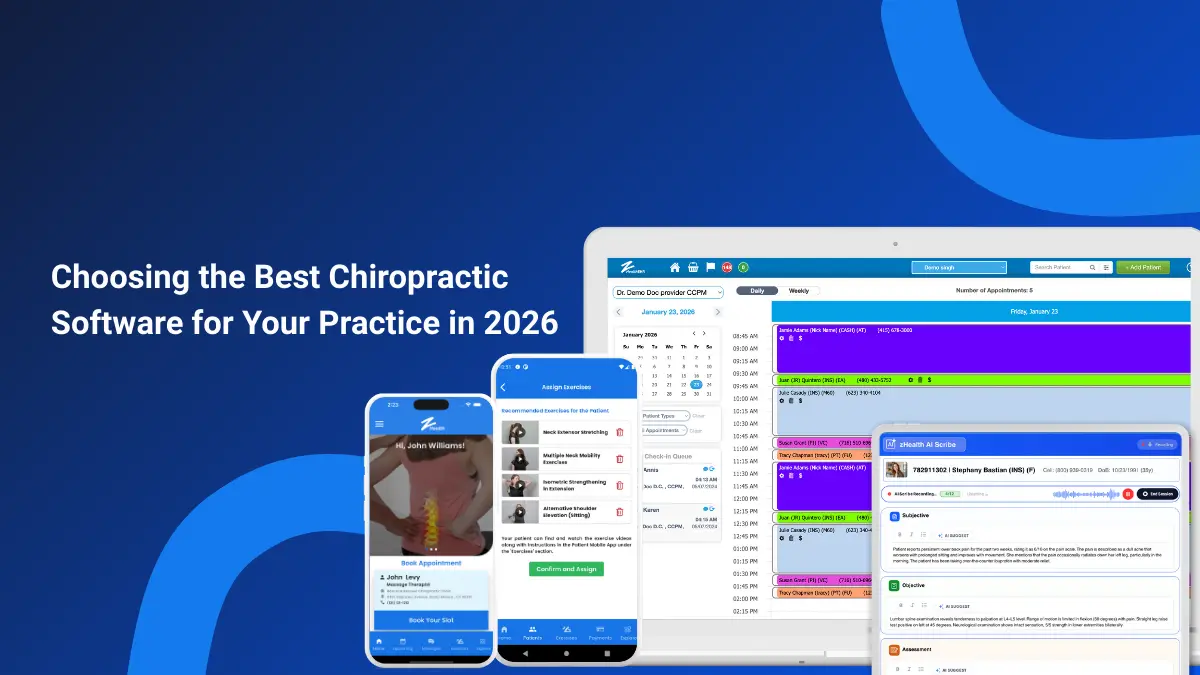
1. Intelligent Appointment Scheduling & Automated Reminders
Your scheduling system is the foundation of practice efficiency. In 2026, “scheduling” means far more than just a digital appointment book.
What to look for:
- Online booking that works 24/7: Patients expect to book appointments at 11 PM from their phones. Give them that option and you’ll fill more slots without extra staff hours.
- Multi-provider coordination: Color-coded calendars that show all providers, rooms, and equipment availability at a glance.
- Automated reminders via text and email: 67.3% of patients prefer text message reminders, and practices using automated reminders see dramatic reductions in no-show rates.
- Smart recall systems: Automatically identify patients who haven’t been in for 30, 60, or 90 days and trigger outreach campaigns to bring them back.
The impact: Practices implementing comprehensive scheduling automation typically see no-show rates drop from 18-20% to under 8%, directly increasing daily revenue by 10-15%.
2. Custom SOAP Notes Built for Chiropractic Workflows
SOAP documentation is non-negotiable, but how you create those notes makes all the difference between finishing notes at 9 PM versus leaving the office on time.
Essential capabilities:
1. Pre-loaded templates: Start with proven SOAP note structures and customize them for your specific treatment approaches.
2. Template variety: Different patient types require different SOAP documentation. Insurance patients need detailed notes, Medicare has specific requirements, and personal injury cases need extensive documentation. Your software should handle all of these with specialized templates.
3. Fast data entry: Drop-down menus, checkboxes, and quick-pick options dramatically reduce typing time while maintaining detailed records.
4. Voice dictation: Speak your notes while examining the patient. No typing, no looking away from the patient, no staying late to finish documentation.
3. AI Scribe: The Game-Changing Technology for 2026
This is the feature that’s transforming chiropractic businesses in 2026. AI Scribe technology represents the biggest leap forward in clinical documentation since the introduction of EHRs.
How it works:
AI Scribe listens to your conversations during patient visits and automatically generates complete SOAP notes in real-time. You stay fully present with your patient while the system captures:
- Chief complaints
- Subjective symptoms
- Objective findings
- Assessment
- Treatment plan
- Follow-up instructions
Why it matters:
Remember those 17 hours per week on administrative work? AI Scribe eliminates the majority of documentation time. Chiropractors using AI Scribe report finishing their notes during or immediately after appointments, no evening documentation sessions, no weekend catch-up.
The result: Your evenings stay free. You see more patients. Staff productivity increases. And documentation quality actually improves because you’re capturing more detail while it’s fresh.
4. Comprehensive Patient Management
Strong chiro EHR software centralizes everything about each patient in one easily accessible location.
Critical information management:
- Demographics and insurance details: Instantly verify coverage and eligibility
- Complete treatment history: View past adjustments, progress notes, and outcomes
- Financial information: Current balances, payment plans, membership status
- Communication logs: Track every text, email, and phone call
- Appointment history: See patterns in visit frequency and adherence
Cloud accessibility means you can pull up patient information from anywhere, during an emergency call, while reviewing cases at home, or when collaborating with other healthcare providers.
5. Digital Intake Forms That Actually Work
Paper intake forms are inefficient, error-prone, and create a poor first impression. Digital intake transforms the new patient experience while saving your staff hours of data entry.
Key features:
- Secure online completion: Patients fill out forms from home before their first visit
- Mobile-friendly design: Works perfectly on smartphones and tablets
- Electronic signatures: Fully HIPAA-compliant digital signing
- Auto-population: Information flows directly into the patient chart, no retyping
- Conditional logic: Forms adapt based on patient responses, collecting only relevant information
The patient experience: New patients arrive prepared, check-in takes seconds, and your staff greets them instead of handing them a clipboard.
6. Integrated Payment Processing
The best chiropractic billing software makes payment collection effortless for both you and your patients.
Modern payment capabilities:
- Multiple payment methods: Credit cards, debit cards, HSA/FSA cards, cash, checks
- Online payments: Let patients pay bills from home through secure portal
- Payment plans: Set up recurring charges for package deals or monthly wellness programs
- Stored payment methods: Securely save cards for auto-billing memberships
- Mobile payments: Accept payments at point of service via tablet or smartphone
- Automated reconciliation: Payments automatically post to the correct patient accounts
Revenue impact: Faster payment collection improves cash flow. Automated billing for memberships provides predictable monthly revenue and reduces administrative work.
7. Insurance Billing & Claims Management
For insurance-based practices, billing capabilities can make or break your profitability.
Essential billing features:
- Real-time eligibility verification: Check coverage before the appointment
- Automated claim submission: Submit claims electronically with built-in scrubbing to catch errors
- Claim tracking: Monitor claim status from submission to payment
- Denial management: Quickly identify and resubmit denied claims
- ERA processing: Automatically post insurance payments to patient accounts
- Patient statements: Generate and send balance statements automatically
Financial benefit: Automated billing reduces claim denial rates from 15-20% to under 5%, dramatically improving collection rates and reducing accounts receivable aging.
8. Meaningful Reporting & Analytics
You can’t improve what you don’t measure. Built-in reporting helps you understand your practice’s performance and identify growth opportunities.
Critical metrics to track:
- Patient volume trends: New patients, returning patients, total visits
- Appointment statistics: No-show rates, cancellation patterns, schedule utilization
- Revenue analysis: Collections, outstanding balances, revenue per visit
- Provider productivity: Visits per provider, revenue per provider
- Patient retention: How many patients complete care plans, return visit rates
- Marketing ROI: Which sources bring the most valuable new patients
Strategic value: Data-driven decisions replace guesswork. You’ll know exactly where to focus your energy for maximum practice growth.
9. Patient Engagement & Communication Tools
Patient retention drives practice profitability. The best software includes robust communication features that keep patients engaged and coming back.
Automated communication:
- Appointment reminders: Reduce no-shows with text and email reminders
- Recall campaigns: Bring back inactive patients automatically
- Educational content: Share wellness tips, exercise videos, and health information
- Birthday messages: Personal touches that strengthen patient relationships
- Treatment plan reminders: Help patients stay on track with their care
Two-way messaging: Let patients text questions or schedule requests directly to your practice. Staff can respond when convenient, reducing phone interruptions.
Online review requests: Automatically send review requests after positive visits, helping you build a strong online reputation that attracts new patients.
10. Mobile Apps for Patients and Providers
Mobile access is no longer optional, it’s expected. Strong mobile apps extend your practice’s reach beyond office walls.
Patient mobile app:
- Book and reschedule appointments anytime
- Check in for appointments from the parking lot
- Complete intake forms on their phone
- View treatment plans and exercise recommendations
- Pay bills and manage payment methods
- Message the practice with questions
Provider mobile app:
- Review tomorrow’s schedule from home
- Access patient notes during emergency calls
- Approve prescriptions or treatment modifications
- Respond to urgent staff questions
- Check practice performance metrics
Engagement impact: Patients with mobile app access show 25-30% higher retention rates and better treatment plan adherence.
11. Email Marketing Integration
Patient engagement and education shouldn’t require third-party marketing software. The best chiropractor software includes built-in email marketing.
Key capabilities:
- Automated campaigns: Set up welcome series, birthday emails, and seasonal promotions once
- Segmentation: Send targeted messages based on patient type, condition, or visit history
- Templates: Professional email designs you can customize with your brand
- Analytics: Track open rates, click rates, and campaign effectiveness
- Compliance: Maintain HIPAA compliance with secure email systems
Growth benefit: Regular patient communication increases lifetime value by 40-60% through better retention and referrals.
How Your EHR Prevents Lost Revenue from Billing Mistakes
Patient care comes first, but financial stability enables you to provide that care long-term. Let’s talk about how the right EHR protects your revenue.
The Revenue Leakage Problem
Manual billing processes create multiple failure points:
- Late claim submissions: Miss filing deadlines, lose reimbursement
- Incorrect coding: Submit wrong CPT codes, receive denials
- Missing documentation: Fail to support medical necessity, get audited
- Forgotten follow-ups: Don’t track denied claims, money never comes
- Patient balance neglect: Don’t bill patients promptly, collection rates plummet
Each of these problems costs you real money, often thousands of dollars monthly.
How Automated Billing Solves This
- Accurate insurance verification: Check eligibility before appointments, preventing surprise denials for coverage issues.
- Timely claim submission: Submit claims electronically within hours of service, not days or weeks later.
- Real-time tracking: Monitor every claim from submission through payment, with automatic alerts for denials or delays.
- Reduced human errors: Automated systems don’t forget to submit claims, code services incorrectly, or lose paperwork.
- Faster payments: Electronic claims pay 2-3 weeks faster than paper claims on average.
- Better collections: Automated patient statements and payment reminders significantly improve patient collection rates.
The Financial Impact
Practices moving from manual to automated billing typically see:
- 10-15% increase in insurance collections
- 20-30% reduction in accounts receivable over 90 days
- 40-50% improvement in patient payment collection
- 5-10 hours per week saved in billing staff time
For a $500,000 annual revenue practice, that translates to $50,000-$75,000 in additional collected revenue and thousands saved in administrative costs.
Identifying Areas Where Your Current System Falls Short
You might be reading this and thinking, “We have software already.” Great! But is it actually solving your problems or just digitizing your inefficiency?
Critical Assessment Questions
Patient Retention:
- Are patients failing to return for follow-up care?
- Do you struggle to keep track of who’s due for visits?
- Are recall campaigns manual and inconsistent?
If yes: You need better automated communication and recall systems.
Billing Efficiency:
- Does billing take hours or days to complete?
- Are claim denial rates above 5-8%?
- Do invoices regularly go to collections?
- Is accounts receivable aging poorly?
If yes: You need integrated billing with automated claims management.
Staff Workload:
- Is your team overwhelmed with paperwork?
- Do they spend more time on phones than helping patients in person?
- Are staff members routinely staying late to finish administrative tasks?
If yes: You need better automation and workflow optimization.
Documentation:
- Are you or your associates finishing notes at home in the evenings?
- Do charts fall behind during busy weeks?
- Is documentation inconsistent across providers?
If yes: You need AI-powered documentation tools like AI Scribe.
Key Operational Features Your System Should Have
If your current system doesn’t efficiently support these, it’s time to consider upgrading:
- Patient self check-in (reduces front desk bottlenecks)
- Online intake forms (eliminates data entry and wait times)
- HIPAA-compliant SOAP documentation (protects your practice legally)
- Automated appointment reminders (prevents costly no-shows)
- Patient engagement tracking (identifies at-risk patients before they churn)
- Insurance posting automation (eliminates manual payment entry)
What Do Other Chiropractors Say About Their Software?
Before committing to any software, research what practicing chiropractors actually experience day-to-day.
Where to Find Honest Reviews
Verified review platforms:
- Capterra (verified buyer reviews only)
- Software Advice
- G2 (detailed pros/cons from actual users)
- GetApp
What to look for in reviews:
Reviews from practices similar to yours (size, patient volume, insurance vs cash)
- Specific complaints that appear repeatedly
- How the vendor responds to negative feedback
- Recent reviews
The zHealth Difference
If you’re researching zHealth specifically, we recommend checking verified reviews on Capterra and trusted industry sites. Over 90% of our customers stay with us long-term because we focus on real-world results, not just feature lists.
We build our software based on feedback from practicing chiropractors, not what we think you need. That’s why zHealth feels intuitive from day one, it’s designed around how you actually work.
Pricing & Getting Started: What You Should Expect
Let’s talk honestly about software costs and what represents fair value.
Transparent Pricing Models
- Per-provider or flat-rate pricing: Pay for what you need, not unnecessary add-ons
- Flexible plans: Options for solo practices, group clinics, and growing practices
- No hidden fees: Setup, training, support, and standard features included
- Predictable costs: Fixed monthly pricing, not surprise charges mid-contract
Red flags in pricing:
- Vendor won’t quote prices without a sales call
- Required purchase of features you don’t need
- Separate charges for “premium support”
- Expensive mandatory annual upgrades
- Hidden per-transaction fees
- Setup fees that cost months of subscription
What ‘Getting Started’ Should Look Like
Switching to new chiropractic practice management software should be easy with onboarding support such as:
- Data migration assistance: Your new vendor should help transfer patient data, not force you to do it alone.
- Step-by-step implementation: Guided setup of all features relevant to your practice.
- Comprehensive staff training: Everyone on your team gets trained, not just you.
- Ongoing support: Unlimited access to help for day-to-day questions as you learn the system.
- The transition goal: You should experience zero disruption to patient care during the switch. That’s the standard, not an exception.
Support & Training: Non-Negotiable Requirements
Software is only as good as the support behind it. Here’s what you should demand:
Essential Support Components
Multiple contact methods:
- Phone support during business hours
- Email ticketing system
- Live chat for quick questions
- Comprehensive knowledge base
Response time commitments:
- Critical issues: Same-day response
- Billing/payment problems: 24-hour response
- General questions: 48-hour response
- Feature requests: Acknowledged within a week
Training resources:
- Video tutorials for every feature
- Written guides and documentation
- Live training sessions (group and individual)
- Refresher training as new features launch
The zHealth All-in-One Solution
Running a successful practice shouldn’t mean juggling five different software systems, each requiring separate logins, training, and monthly payments.
One Platform, Complete Solution
zHealth combines everything you need to run an efficient, profitable practice:
Clinical Tools:
- Intuitive appointment scheduling
- Customizable SOAP note templates
- AI Scribe for hands-free documentation
- Complete patient history and treatment tracking
- Digital intake forms and signatures
- Outcome assessment tools
Practice Management:
- Multi-provider coordination
- Room and equipment management
- Automated patient reminders
- Recall campaign automation
- Online booking and self-scheduling
- Mobile apps for provider and staff
Financial Management:
- Integrated payment processing
- Insurance billing and claims management
- Membership and package management
- Automated patient statements
- Financial reporting and analytics
- Payment plan automation
Patient Engagement:
- Two-way text messaging
- Built-in email marketing
- Online review management
- Patient portal access
- Patient recall reminders
- Educational content delivery
- Exercise videos
- Mobile app for patients
Built Specifically for Chiropractors
Generic practice management software tries to work for everyone, medical doctors, dentists, therapists, chiropractors. The result? It’s optimized for no one.
zHealth is built exclusively for chiropractic practices. That means:
- SOAP templates designed for adjustments and spinal care
- Billing codes optimized for chiropractic services
- Workflows that match how chiropractors actually practice
- Features that solve chiropractic-specific challenges
- Support staff who understand your industry
Ready to Transform Your Practice?
You became a chiropractor to help people move better, feel better, and live healthier lives. Not to spend evenings finishing paperwork or weekends catching up on billing.
The best software gives you back what matters most: time with your patients, time growing your practice, and time for yourself.
What sets zHealth apart:
- Purpose-built for chiropractors, not adapted from medical software
- Intuitive interface that your team learns in hours, not weeks
- AI-powered tools that eliminate evening documentation
- All-in-one platform, no juggling multiple systems
- Transparent pricing with no hidden fees
- Exceptional support from people who understand chiropractic
Experience zHealth in Action
The best way to know if zHealth fits your practice? See it yourself.
Schedule a free, personalized demo where we’ll:
- Walk through your current workflow challenges
- Show you exactly how zHealth solves your specific problems
- Answer every question honestly (including “what doesn’t it do?”)
- Provide transparent pricing with no pressure tactics
- Connect you with current zHealth users in similar practices
Frequently Asked Questions
Q1: How do I know if a software is right for my practice size and workflow?
A1: The right software should match how your clinic actually operates today and scale as you grow. Look for flexible scheduling, documentation, billing options, and reporting that align with your daily workflow, not force you to adapt to the software.
Q2: What questions should I ask during a chiropractic software demo?
A2: Ask how long common tasks take, how documentation is handled, how billing and payments are managed, and what support is available after onboarding. It’s also important to see how easily different features work together. Connect us with our team for a quick discovery call and learn how zHealth can help grow your chiropractic business.
Q3: What are the most common mistakes chiropractors make when choosing practice management software?
A3: Common mistakes include choosing software based only on price, overlooking long-term scalability, and underestimating the importance of support, training, and ease of use.
Q4: Is chiropractic software a good fit for cash-based practices?
A4: Many chiropractic software platforms support cash-based practices with features like simple scheduling, integrated payments, memberships, and automated communication, without unnecessary insurance complexity.
Q5: How secure is patient data stored in cloud-based chiropractic software?
A5: Reputable software systems for chiropractors uses HIPAA-compliant security measures, including data encryption, secure access controls, and regular system monitoring to protect patient information.
Q6:How do I choose between popular software providers?
A6: Compare providers based on ease of use, feature depth, support quality, pricing transparency, and how well the system fits your specific practice needs, not just brand recognition.
Related articles:
5 Ultimate Tools in Chiropractic Software that Can Increase Your Monthly Revenue
Next-Gen Chiropractic Software: How AI, Automation, and Analytics Are Changing the Game
The Ultimate Chiropractor’s Checklist for Your Next Software Demo
15 Essential Features in Chiropractic EHR That Can Save Time and Improve Care