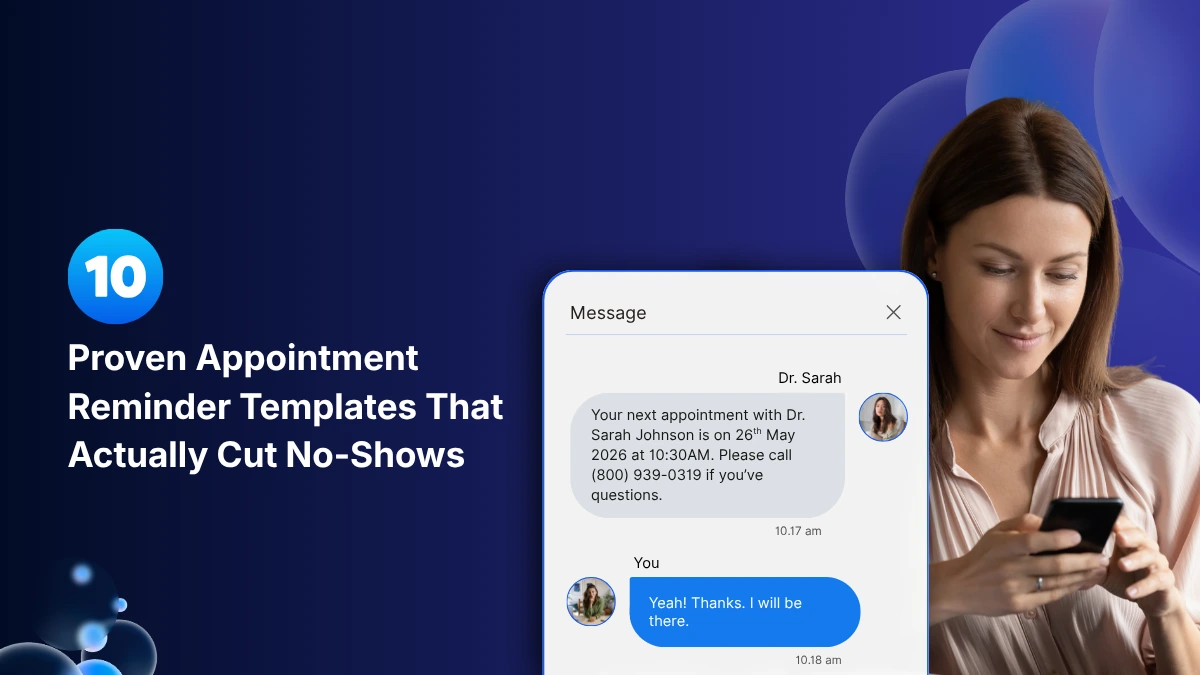
Why Most Appointment Reminders Fail
Just sending a reminder is not sufficient. Most clinics and businesses send some form of reminder but still face challenges with no-shows. This usually happens for one of three reasons:
1. Wrong timing. A reminder that goes out immediately after an appointment is booked and is never sent again will likely be forgotten before the appointment day arrives. A reminder sent only on the morning of the appointment gives patients no time to reschedule.
2. Wrong channel. Emails that sit in an inbox compete with 87 other unread messages. On the other hand, SMS arrives as a phone notification. The difference is significant: SMS has a 98% open rate compared to an average of 20 to 30% for email, and most text messages are read within 3 minutes of receipt.
3. No clear action. A reminder that simply states, “Your appointment is tomorrow,” does not prompt any action from the patient. A reminder that instructs “Reply C to confirm or R to reschedule” encourages a small commitment that also acts as an early warning system for available slots.
The 10 appointment reminder templates below follow a three-part formula that works: personalization, timing, and a simple action.
The Reminder Timing Framework: When to Send Each Message
Before crafting any message, ensure you get the timing right. Research from Dialog Health outlines three essential touchpoints:
- Booking confirmation: Immediately after booking, sent via SMS and Email to confirm details and set expectations.
- Primary reminder: 48 to 72 hours prior, sent via email (detailed) to inform and prepare while allowing for an easy reschedule.
- Final reminder: 24 hours before, sent via SMS (brief) to confirm and catch last-minute cancellations.
- Day-of nudge: 2 hours before (optional), sent via SMS to prevent “I forgot” no-shows.
- Educational Insights:“Ever wondered how chiropractic adjustments benefit your nervous system? Check out our latest blog post for fascinating insights!”
- Referral Requests: “Know someone who could benefit from chiropractic care? Refer a friend and both of you receive a special thank-you gift!”
- Health Challenges: “Kickstart a healthier you! Join our [Month] Wellness Challenge and discover simple habits for improved well-being. Are you in?”
- Survey and Feedback Requests: “We value your opinion! Please take a moment to share your thoughts on your recent chiropractic experience. Your feedback is crucial to us.”
- Health Awareness Days: “Happy [Health Awareness Day]! Today, let’s raise awareness about the importance of spinal health. Schedule your chiropractic checkup today!”
- Birthday Wishes: Warmest birthday wishes to you, [Patient Name]! May your day be filled with joy, good health, and lots of celebration.
- Community Outreach: “Exciting news! Our team will be at [Local Event] this weekend. Visit our booth for free spinal screenings and wellness tips.”
- New Service Announcements: “Introducing our new [Service]! Elevate your chiropractic experience with this innovative offering. Book your session today!”
- Nutrition Tips: “Fuel your body right! Did you know incorporating [Healthy Food] into your diet can support overall spinal health? Try it out!”
- Virtual Care Options: “Can’t make it to the clinic? Explore our virtual chiropractic sessions for personalized care from the comfort of your home.”
- Practice Milestones: “Celebrating [Number] years of serving our amazing patients! Thank you for being part of our chiropractic family.”
- Emergency Preparedness Tips: “Stay prepared for emergencies! Check out our blog for chiropractic insights on maintaining wellness during unforeseen events.”
- Team Member Spotlights: “Get to know our chiropractic team better! Meet [Team Member Name] and learn about their passion for promoting health and wellness.”
- Motivational Quotes: “Here’s a little Monday motivation: “Your health is an investment, not an expense.” Take steps today for a healthier tomorrow!”
Critical timing insight
Sending SMS reminders between 6 and 7 PM leads to a higher confirmation rate compared to midday sends, as many people are transitioning from work to home and planning their next day. Emails work best when sent between 5 and 10 AM when people check their inboxes during their morning routines.
Template 1: Instant Booking Confirmation (SMS)
When to send: Within 60 seconds of booking
Goal: Lock in the mental commitment; confirm details are correct
Template:
| Hi [First Name]! Your appointment with [Provider/Business Name] is confirmed for [Day], [Date] at [Time]. Location: [Address]. Questions? Call us at [Phone]. |
Why it works: Immediate confirmation creates a psychological commitment. Patients who receive instant confirmation are much less likely to not show up since they recognize the appointment exists. It also helps catch scheduling errors before the appointment day.
For wellness clinics, you can add: “Please bring your insurance card and arrive 10 minutes early to complete intake forms.”
Template 2: The 72-Hour Email Reminder (Email)
When to send: 3 days before the appointment
Goal: Detailed preparation and a low-pressure reschedule opportunity
Subject line: Your appointment with [Provider] is in 3 days
Template:
|
Hi [First Name], Just a friendly reminder, your appointment is in three days. Here are the details: Date: [Day, Date] Time: [Time] Location: [Full Address] Provider: [Provider Name] Need to reschedule? No problem, there’s still time. Click here to find a new time that works for you: [Reschedule Link] We look forward to seeing you. [Clinic/Business Name] [Phone] | [Website] |
Why it works: The longer version of appointment reminder email template is beneficial. The 72-hour window is the optimal time frame for rescheduling, it’s far enough out to fill the slot but close enough that patients take it seriously. Including a one-click reschedule link reduces the friction that turns a “maybe I’ll call” into a no-show.
Practices that make rescheduling easy through digital links see higher reschedule rates and lower overall no-show rates because a rescheduled patient is a retained patient.
Template 3: The 48-Hour Confirmation Request (SMS)
When to send: 48 hours before
Goal: Get explicit confirmation and surface cancellations early
Template:
| Hi [First Name], your appointment with [Provider Name] is in 2 days – [Day] at [Time]. Reply C to confirm or R to reschedule. We’ll hold your spot until we hear from you. Questions? Call [Phone]. |
Why it works: The “Reply C or R” approach turns a passive reminder into an active commitment. Confirmed patients show up at much higher rates. An “R” reply 48 hours out allows you to refill the slot, turning a potential revenue loss into a booked appointment.
Pro move: Set your system to alert any non-responses after 12 hours and trigger a follow-up or no-show appointment message as soon as any patient cancels their appointment.
Template 4: The 24-Hour Final Reminder (SMS)
When to send: 24 hours before
Goal: Final confirmation and clarity on logistics
Template:
| Reminder: [First Name], your appointment at [Business Name] is tomorrow at [Time]. [Short Address]. Reply YES to confirm or call [Phone] to reschedule. See you then! |
Why it works: This appointment reminder message template is short and includes just one action. At 24 hours out, patients do not need preparation details; they need a clear prompt. The word “TOMORROW” creates urgency without being aggressive. Aim to keep this under 160 characters to avoid MMS delivery issues on some carriers.
Template 5: The Same-Day “We’re Ready for You” Message (SMS)
When to send: 2 to 3 hours before
Goal: Reduce “I forgot it was today” no-shows
Template:
| Good morning [First Name]! See you today at [Time] at [Business Name]. [Address / Parking tip]. If something has come up, please call us at [Phone] right away so we can help you reschedule. Looking forward to it! |
Why it works: Studies show that forgetfulness is the top reason patients miss appointments. A survey by MGMA found that 33% of missed appointments are due to simple forgetfulness. A reminder on the day of the appointment costs nothing and removes this entire category of no-shows. The phrase “right away so we can help you” frames cancellation as a helpful act rather than a problem, which increases the chances that patients will call ahead.
Template 6: The New Patient Welcome + Reminder (SMS + Email)
When to send: 48 hours before a first appointment
Goal: Reduce anxiety, build trust, prevent first-visit no-shows
Email version:
|
Subject: We’re looking forward to meeting you, [First Name] Hi [First Name], We are excited to welcome you to [Practice Name] for your first visit this [Day] at [Time]. We know that first visits can be uncertain — here’s what to expect: What to bring: [Photo ID, insurance card, completed intake form (link)] Where to go: [Specific entrance or floor, parking notes] Duration: Approximately [X] minutes Who you’ll see: [Provider Name], [brief 1-line bio or specialty] If you have any questions before your visit, reply to this email or call us at [Phone]. We look forward to seeing you. [Provider Name] + the team at [Practice Name] |
SMS (send on the same day as email):
| Hi [First Name]! We’re looking forward to your first visit at [Practice Name] – [Day] at [Time]. Check your email for everything you need to know. Questions? Call [Phone]. |
Why it works: New patients have a higher likelihood of missing appointments than returning patients. Uncertainty about what to expect can be a major barrier. This patient appointment reminder template addresses this directly by covering what to bring, where to go, how long to expect, and who will be there. This prepares the patient mentally and builds trust before they walk in.
Template 7: The Rescheduling Rescue Message (SMS)
When to send: Immediately after a patient cancels or misses an appointment
Goal: Recover the patient and keep them in the practice
For a cancellation:
| Hi [First Name], no worries, life happens! We’ve opened your slot at [Time]. Ready to rebook? Here’s a link to find your next available time: [Booking Link]. Or call us at [Phone] and we’ll sort it out together. See you soon! |
For a no-show (send within 2 hours):
| Hi [First Name], we missed you today at [Time]. We hope everything is okay! We’d love to get you back on the schedule. |
Template 8: The High-Stakes Procedure Reminder (SMS)
When to send: 72 hours and 24 hours before procedures or extended appointments
Goal: Confirm preparation compliance, prevent costly cancellations
72-hour Appointment Reminder SMS Template:
| Important reminder: [First Name], your procedure at [Facility Name] is scheduled for [Date] at [Time]. Please review your preparation instructions at [Link], these are required for your appointment to proceed. Questions? Call [Phone] anytime. Reply C to confirm you’ve received this. |
24-hour call script:
| Hi, may I speak with [Patient Name]? This is [Name] calling from [Practice Name] to confirm your appointment tomorrow at [Time] with [Provider]. I also want to make sure you have everything you need to prepare. Do you have any questions about [specific prep: fasting requirements, medication instructions, what to bring]? Great — we’ll see you tomorrow at [Time]. If anything changes, please call us right away at [Phone]. |
Why it works: A personal phone call the day before signals that the appointment matters, that the team is prepared, and that preparation compliance is genuinely important. The SMS at 72 hours gives patients time to raise concerns or flag issues before the appointment day.
Template 9: The Recurring Appointment Loyalty Reminder (SMS)
When to send: For patients with ongoing or recurring treatment plans Channel: SMS Goal: Maintain treatment compliance, reinforce relationship
Template:
| Hi [First Name]! Your next [treatment type] appointment is coming up — [Day, Date] at [Time] with [Provider]. We’ve saved your usual spot. Reply C to confirm or call [Phone] if you need a different time. See you soon! |
Why it works: For recurring patients, the reminder does double duty: it confirms the appointment AND reinforces the ongoing care relationship. The phrase “your usual spot” creates a sense of belonging and habit. For lapsed patients, the warm, low-pressure tone invites return without shame and a direct booking link removes all friction from the re-engagement process.
Template 10: The Waitlist Opportunity Message (SMS)
When to send: Immediately when a cancellation creates an opening
Goal: Fill empty slots in real time, reduce revenue loss from cancellations
Template:
| Hi [First Name]! Good news, a slot just opened up at [Practice Name]: [Day] at [Time] with [Provider]. You’re on our waitlist, and this one’s yours if you want it. Call us at [Phone] or click: [Booking Link] |
Why it works: Waitlist management is one of the highest-ROI activities in appointment-based businesses. A slot that goes unfilled after a last-minute cancellation is pure revenue loss. This template creates urgency and makes claiming the slot take under 10 seconds.
Conclusion
Appointment reminders are no longer just a convenience. They are a critical part of improving patient experience, reducing no-shows, increasing retention, and protecting practice revenue.
The most successful practices use a combination of timely SMS messages, emails, and personalized communication to keep patients informed, prepared, and engaged throughout their care journey.
With zHealth chiropractic practice management and patient engagement software, clinics can automate appointment reminders, recalls, waitlist communication, follow-ups, and patient text messaging from one integrated platform.
zHealth helps practices reduce administrative workload, improve scheduling efficiency, minimize revenue loss from missed appointments, and deliver a seamless patient communication experience at every touchpoint.
Related Articles:
The Secret Connection Between Appointment Reminders and Profitability
3 Proven Ways to Control the Costly Problem of Missed Appointments
5 Proven Ideas for Keeping Patients Engaged Between Appointments
Frequently Asked Questions
Q1. What is the best timing for sending appointment reminder messages?
A1: Most chiropractic clinics see the best results using a layered reminder system: an instant booking confirmation, a reminder 48–72 hours before the appointment, a final SMS reminder 24 hours before, and an optional same-day reminder a few hours before the visit. This approach helps reduce forgetfulness and gives patients enough time to reschedule if needed.
Q2. Are SMS appointment reminders better than email reminders?
A2: SMS reminders usually have much higher open and response rates than email reminders, making them ideal for confirmations, same-day reminders, and quick rescheduling. Email reminders work best for detailed instructions, intake forms, new patient information, and preparation guidelines. Most chiropractic practices benefit from using both together.
Q3. How can chiropractic clinics reduce no-shows with appointment reminders?
A3: The most effective appointment reminder templates include the patient’s name, appointment details, a clear confirmation or rescheduling option, and a direct phone number or booking link.
Q4. What should a chiropractic appointment reminder message include?
A4: A good chiropractic appointment reminder should include:
- Patient name
- Appointment date and time
- Provider or clinic name
- Clinic address or parking instructions
- Clear confirmation or rescheduling instructions
- Contact phone number
For new patients, it is also helpful to include intake forms, arrival instructions, and what to bring to the appointment.
Q5. Can automated appointment reminders improve patient retention?
A5: Yes. Automated appointment reminders do more than reduce no-shows. Consistent communication helps patients feel organized, supported, and connected to the clinic. Many chiropractic practices use automated reminders, recalls, and follow-up messages to improve patient retention, increase rebooking rates, and create a better overall patient experience.